What if your search for legal document templates docx is actually exposing your most sensitive data to public AI models? It's a valid concern as we move through 2026. You likely find that hiring a lawyer for every standard agreement is an unnecessary drain on your resources. You want professional results without the high cost of traditional consultations. However, using generic online editors often forces a trade-off between convenience and data security. You shouldn't have to choose between a functional document and your privacy.
We agree that professional drafting must be both accessible and strictly private. This guide shows you how to source high-quality templates and refine them using private, AI-powered tools that keep your data under your control. You'll learn how to evaluate template security, decode complex legal terminology, and utilize a secure DOCX environment to finalize your documents. We'll move from the initial search to a completed, secure file that protects your interests without the legal overhead.
Key Takeaways
- Understand why .docx remains the global standard for legal redlining and professional version control in 2026.
- Identify critical boilerplate clauses and modular structures that define a high-quality, reliable legal document.
- Navigate essential document categories for corporate and service-based businesses to ensure jurisdictional flexibility.
- Protect sensitive data by utilizing private AI tools and BYOK (Bring Your Own Key) models during the editing process.
- Discover how to find and safely refine legal document templates docx within a secure, privacy-first drafting environment.
The Role of Standardized Legal Document Templates in DOCX Format
In 2026, the .docx format remains the undisputed foundation for legal architecture. While other formats exist for viewing, legal professionals and courts prioritize .docx for its native ability to handle complex revisions. Using legal document templates docx allows you to move beyond static text into a dynamic drafting environment. It's not just a file; it's a workspace where every clause is modular and every change is tracked. This format ensures that your documents remain compatible with the global legal ecosystem, from small firms to federal court systems.
Negotiation is a series of iterations, and "redlining" is the mechanism that makes this possible. It allows parties to visualize deletions and additions without losing the original context. This transparency is vital for version control. It ensures that the final execution copy reflects every hard-won compromise. Without the ability to track these changes natively, the risk of missing a critical modification increases significantly. High-quality templates leverage this functionality to turn a static agreement into a living record of intent.
Treat a template as your "Minimum Viable Product." It provides the structural integrity you need to begin. By starting with standardized legal language, you ensure that basic protections are already in place. This shifts your focus from basic construction to high-value customization. You don't need to reinvent the wheel for every NDA or service agreement. You simply need a reliable starting point that you can adapt to your specific needs.
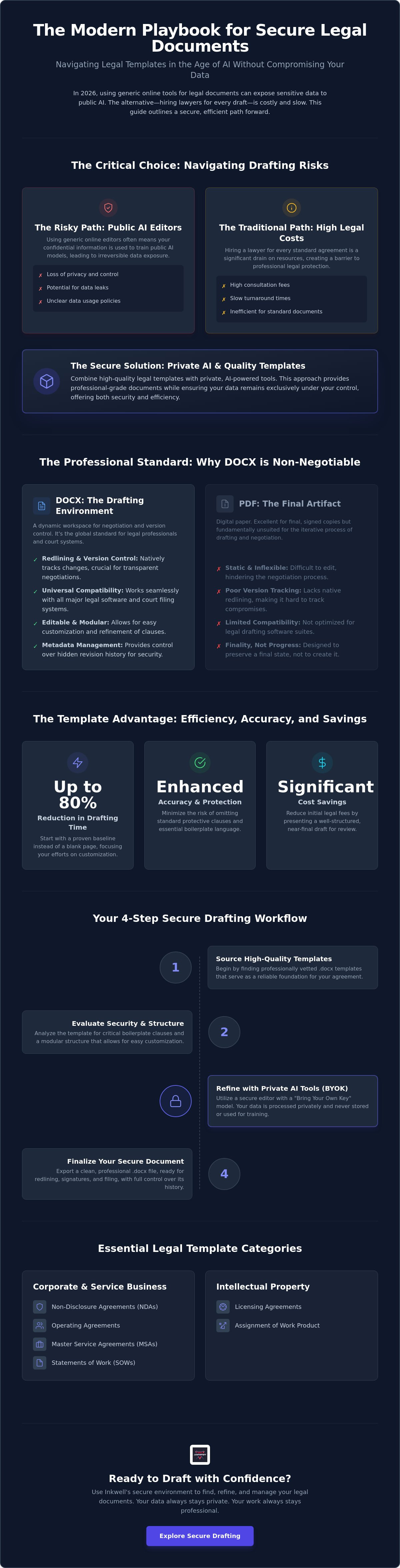
Starting from a blank page is a legacy approach that wastes time and increases risk. Templates reduce drafting hours by providing a proven baseline. Consider the cost-benefit:
- Efficiency: Reduce initial drafting time by up to 80%.
- Accuracy: Minimize the risk of omitting standard protective clauses.
- Cost: Save on initial consultation fees by presenting a near-final draft for review.
Why DOCX Over PDF for Legal Drafting?
PDFs are digital paper; they're great for finality but poor for progress. Legal drafting requires editable text to negotiate specific clauses. Most court filing systems and legal software suites are optimized for .docx compatibility. Crucially, .docx allows for sophisticated metadata management. You can strip or retain hidden history depending on the sensitivity of the negotiation. This control is essential for maintaining professional integrity during the exchange of legal document templates docx.
The Evolution of Digital Legal Paperwork
We've moved from physical filing cabinets to secure, AI-assisted document management. Standardized templates now serve as a shield against human error. They ensure that essential boilerplate clauses aren't overlooked in the rush to close a deal. This evolution represents a shift toward user-empowered drafting. You no longer wait for a gatekeeper to provide a draft. Instead, you use high-performance tools to generate your own documents and refine them with precision and autonomy.
Essential Legal Template Categories for Business and Personal Use
Legal needs vary, but the requirement for structural integrity is constant. You can categorize most legal document templates docx into two primary groups: business operations and personal protection. Each category serves as a modular component of your overall legal strategy. These files act as the blueprints for your professional and private agreements, ensuring that every party understands their obligations from the start.
Corporate entities and startups rely on foundational documents like Non-Disclosure Agreements (NDAs) and Operating Agreements. These define ownership and protect sensitive information before a single dollar changes hands. For service-based businesses, Master Service Agreements (MSAs) provide a framework for long-term client relationships. These documents allow you to establish general terms once and then use shorter Statements of Work (SOW) for specific projects. This modular approach saves time and keeps your legal costs predictable.
Intellectual property is the currency of 2026. Licensing agreements and the assignment of work product ensure that you actually own what you pay for. When evaluating these categories, you can reference the U.S. Department of Justice sample documents to understand the standard of language expected in federal contexts. Using these as a benchmark helps you identify whether a template meets professional standards.
Business Operations and Compliance
Maintaining compliance requires more than just a handshake. You need Standard Operating Procedures (SOPs) that align with current regulations.
- NDAs: Essential for protecting trade secrets in a digital economy where data moves instantly.
- Contractor Agreements: Vital for the 2026 gig economy to clearly define the relationship and avoid misclassification.
- Employment Contracts: These outline duties, compensation, and termination protocols to prevent future disputes.
Personal and Family Legal Frameworks
The "DIY Will" trend has gained momentum as users seek autonomy over their estate planning. A template is often sufficient for straightforward assets, provided it meets jurisdictional requirements. Residential lease agreements are equally critical. They protect both landlord and tenant rights by clearly stating maintenance duties and payment schedules. These agreements prevent the ambiguity that often leads to costly litigation.
Personal websites also require a legal framework. Privacy policies and terms of service aren't just for corporations. If you collect any user data, these documents are your primary defense against compliance violations. Using professional-grade legal document templates docx ensures that your personal digital presence remains as protected as your business interests. You gain the peace of mind that comes from knowing your digital and physical assets are fully secured.
Evaluating Template Quality: What Makes a Legal Document Reliable?
Reliability in a legal document isn't just about the words on the page. It's about the technical and structural integrity of the file itself. When you evaluate legal document templates docx, you must look for clarity, modularity, and jurisdictional flexibility. A high-quality template doesn't just provide a fill-in-the-blank form. It offers a framework that adapts to your specific needs while maintaining a rigid legal standard. In 2026, this includes ensuring clauses are compliant with the latest regulatory changes and evolving legal guidance.
You should always perform a "boilerplate" check. These are the standard sections that protect your interests in unforeseen circumstances. Look for robust clauses covering dispute resolution, governing law, and severability. To understand the standard of detail required for professional acceptance, you can review official U.S. court forms. These documents demonstrate the level of precision courts expect. While a template is a powerful starting point, it isn't a substitute for legal advice. It's a tool that helps you manage risk by providing a vetted baseline, but you remain responsible for the final output.
Structural Integrity of Legal DOCX Files
Formatting is a functional requirement, not a stylistic choice. In a court of law, improper numbering or indentation can lead to ambiguity and misinterpretation. A professional legal document templates docx file utilizes automated numbering systems that maintain consistency even as you add or remove clauses. Defined terms are equally critical. They ensure that a specific word, like "Effective Date," carries the exact same meaning across a forty-page agreement. Finally, ensure your execution blocks are formatted correctly. Clear signature sections are essential for digital validity and ensure that the document is ready for secure execution platforms.
Identifying Red Flags in Free Templates
Vague language is the primary enemy of a secure contract. If a template uses "reasonable efforts" without defining what that entails, it creates a loophole rather than a protection. Be wary of outdated clauses that ignore modern data privacy standards. A document drafted in 2020 likely won't account for the privacy requirements of 2026. Another red flag is brevity. If a complex agreement is only two pages long, it's likely missing essential contingencies. A reliable template is comprehensive enough to cover "what-if" scenarios, ensuring you aren't left exposed when a relationship or project changes course.
Safe Editing: Refining Legal Templates with Private AI Tools
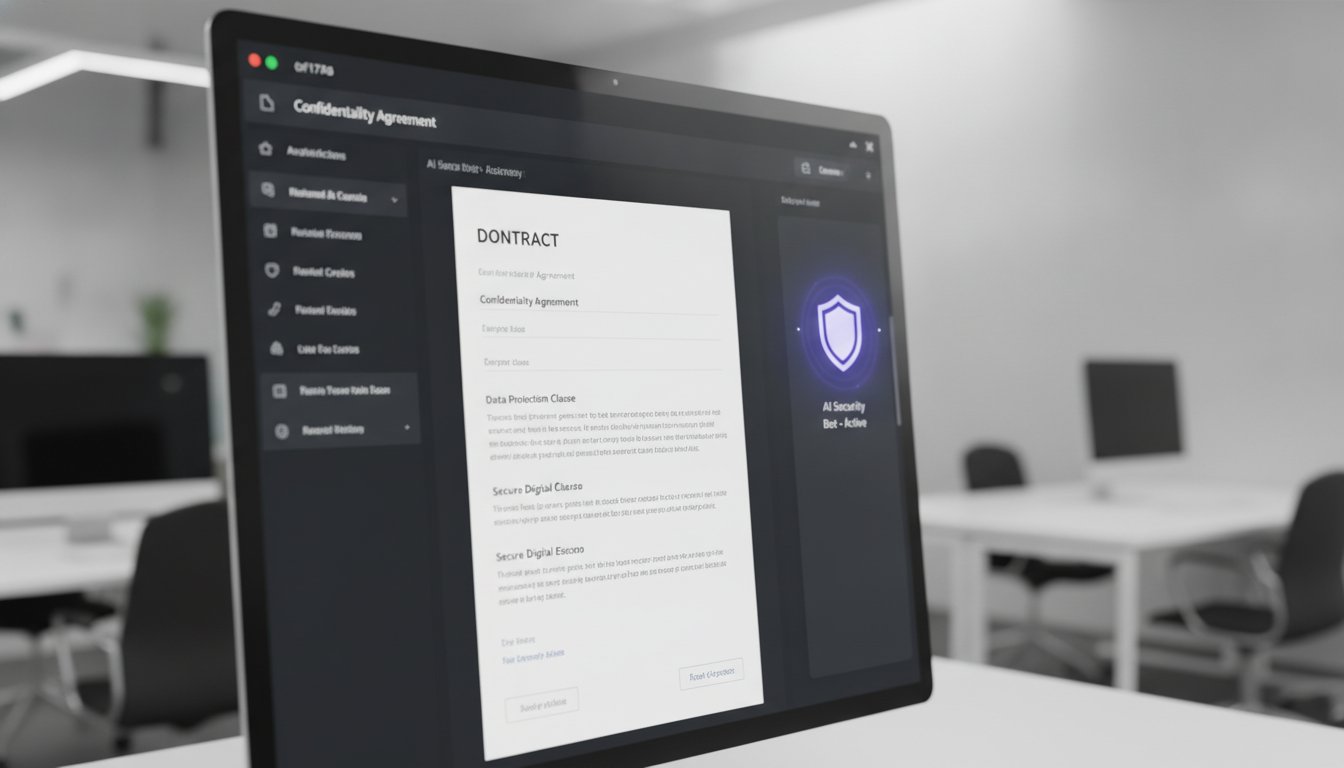
Public AI models present a significant risk to legal confidentiality. When you upload a draft to a standard chatbot, you effectively hand over your data for their future training cycles. This creates a privacy dilemma for anyone using legal document templates docx to manage sensitive business or personal affairs. You need the speed of AI without the exposure of a public server. The solution lies in private drafting environments that utilize Bring Your Own Key (BYOK) models.
BYOK allows you to connect your own API credentials to a specialized editor. This setup ensures that the interface provider never sees your document content. The processing happens in a secure tunnel, or even better, directly in your browser. This architecture treats you as an autonomous partner rather than a data source. You maintain the efficiency of automated drafting while keeping your proprietary information strictly under your control.
Maintaining Data Sovereignty in Legal Drafting
Data sovereignty means you own the keys and the content. By using your own API key, you prevent your inputs from being used to train public models. This is critical when your legal document templates docx contain specific names, dates, or financial figures. A browser-based editor provides a "no-upload" advantage. Your files stay on your local machine while the AI sidebar provides modular assistance. This setup protects your interests from the data harvesting practices common in "free" online tools.
Leveraging AI for Legal Document Refactoring
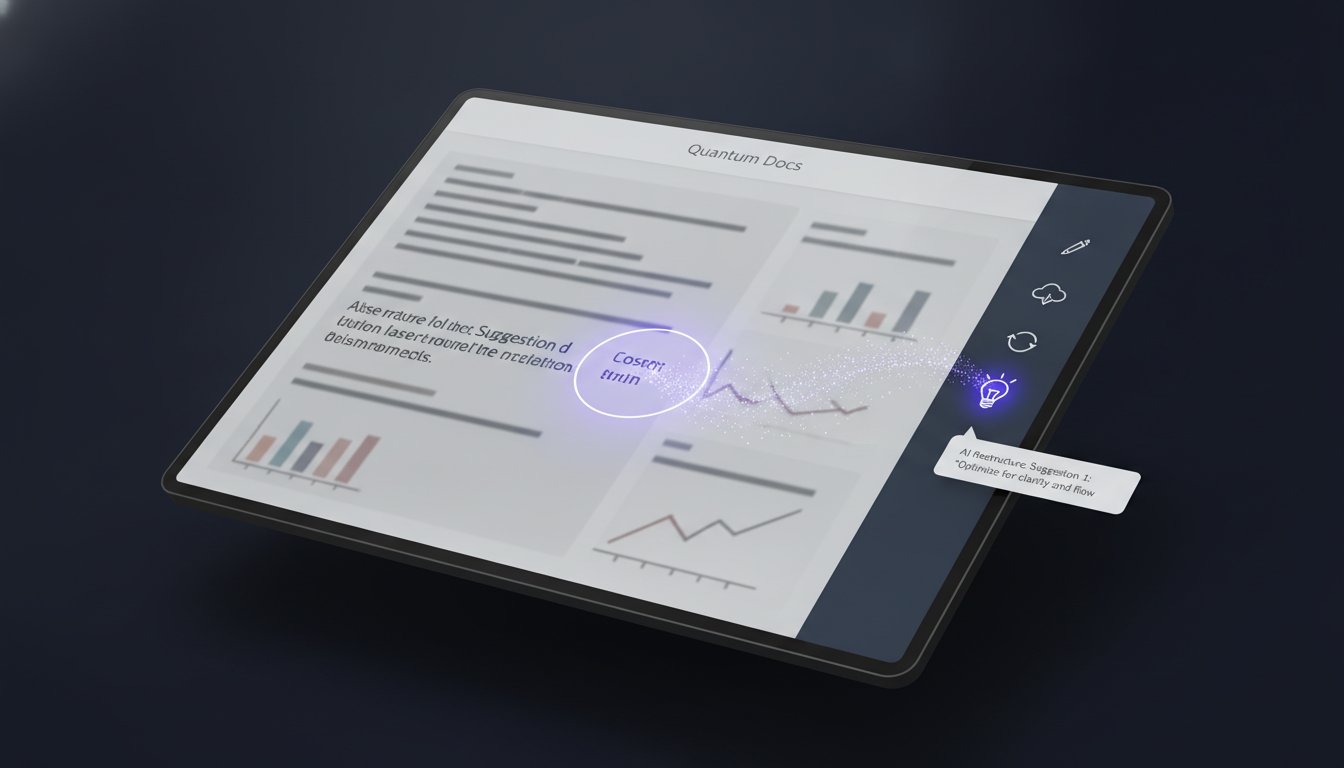
Refining a template requires more than just filling in the blanks. You can use an AI sidebar to translate complex legalese into plain English for internal stakeholders. This transparency helps everyone understand the risks before signing. AI also excels at checking for internal consistency. It can scan a forty-page agreement to ensure that every defined term is used correctly and consistently. If you need to adapt a template for a specific business requirement, you can prompt the AI to draft custom clauses based on your parameters. This process is documented in our AI Powered DOCX Editor: The 2026 Guide to Private Document Workflows.
You don't have to sacrifice speed for security. You can start drafting in a secure editor that respects your data sovereignty while providing the high-performance tools you need to finalize your agreements with precision and confidence.
Inkwell: The Secure Environment for Your Legal DOCX Library
Managing a legal library requires a balance of immediate accessibility and absolute security. Inkwell provides this by merging high-quality legal document templates docx with a privacy-first editor. Most platforms lock your documents behind a subscription or harvest your data for analytical insights. Inkwell rejects this model. It functions as a direct utility, giving you a secure space to refine agreements without recurring fees or privacy trade-offs. You remain the owner of your work, the keys, and the process.
You can easily import your existing legal library for AI-assisted refinement. This allows you to modernize legacy documents using the secure drafting workflows discussed in previous sections. By bringing your own files into this environment, you gain the ability to refactor clauses and check for consistency without ever exposing the text to a public cloud. It empowers you to handle complex documentation with the precision of a professional while maintaining the autonomy of a decentralized workflow. You aren't just a user; you're the architect of your own legal framework.
The Minimalist Legal Editor
The interface is intentionally lean. It removes the clutter found in traditional word processors to facilitate deep drafting and meticulous review. Despite its minimalist design, the editor maintains full compatibility with all .docx features. You can manage complex headers, footers, and institutional styles without losing structural integrity. This ensures that your legal document templates docx meet the formal requirements of courts and corporate partners. For those looking to improve the visual professionality of their files, see our guide on Professional Word Document Design Templates.
Getting Started with Inkwell Templates
Accessing the library is straightforward. You can open professional templates directly within the free editor to begin customization. Once your file is open, you connect the AI integrated sidebar using your own API key from providers like OpenAI or Anthropic. This setup enables the refactoring and translation features mentioned earlier while keeping your data sovereign. You don't have to worry about third-party data retention policies because the connection is direct and controlled by you.
After you finish refining the language and verifying the boilerplate clauses, you can finalize the document immediately. The editor allows for a clean export, ready for digital signature or final legal review. This process ensures that you move from a template to a secure, executed agreement with minimal friction. You don't need a bloated suite of tools to produce professional results. You simply need a reliable instrument that stays out of your way. Start drafting your legal documents securely with Inkwell today to take full control of your digital legal environment.
Take Control of Your Legal Architecture
Professional drafting in 2026 demands a shift from passive consumption to active control. You've seen how legal document templates docx provide the essential framework for redlining, version control, and jurisdictional flexibility. By prioritizing structural integrity and recency, you ensure your interests remain protected in an evolving regulatory landscape. The choice of format is only the first step. The environment in which you refine that format determines your long-term data security and professional autonomy.
You now have the path to manage your documentation with total confidence. Inkwell facilitates this transition through a BYOK privacy model and no-upload browser editing. You can utilize the integrated AI sidebar for clause refactoring to ensure every term is precise without ever exposing your sensitive data to public training models. It's a direct, utility-first approach that respects your intelligence and your time.
Refine your legal templates with Inkwell's Private AI Editor and begin building a more secure, professional document library today. You're ready to handle your legal requirements with clarity and technical precision.
Frequently Asked Questions
Is it legal to use a .docx template instead of hiring a lawyer?
It's perfectly legal to draft your own agreements using templates. You have the right to represent your own interests in most business and personal matters. While a template provides a professional structure, it doesn't replace a lawyer's specific advice for complex litigation or high-stakes deals. Use templates for standard operations to reduce costs while maintaining a consistent legal baseline for your routine transactions.
How do I ensure my legal document is valid in my specific state?
Ensure the document includes a governing law clause that specifies your jurisdiction. You must also verify that the template complies with local regulations, such as the Colorado AI Act (SB 24-205) which takes effect June 30, 2026. Local statutes often dictate specific requirements for disclosures or signature formats. Always check for recent state-level legislative changes that might affect your document's validity before finalizing the draft.
Can I use AI to write a legal contract from scratch?
You can use AI to generate a draft, but you shouldn't rely on it for the entire structure. AI lacks the nuanced understanding of current case law and can sometimes invent non-existent legal requirements. It's much safer to start with professional legal document templates docx and use AI to refine specific clauses. This ensures your document has a sound structural foundation before you begin customizing the language for your specific needs.
What is the safest way to edit a sensitive legal document online?
The safest method is using a local-first, browser-based editor that avoids cloud storage. Traditional online editors often harvest data for training or analytics. By using a tool that processes information locally, you keep sensitive names and financial figures on your own machine. This approach eliminates the risk of data leaks associated with centralized document platforms and maintains your privacy throughout the entire drafting process.
What is a BYOK AI editor and why is it better for legal work?
A BYOK editor allows you to use your own private API key to power AI features. This is better for legal work because it creates a direct, secure tunnel between you and the AI provider. The editor interface acts only as a bridge and never stores your content. This prevents your proprietary legal language from being used to train public models, ensuring your data remains private and secure.
How do I add digital signatures to a .docx legal template?
Complete your drafting in the .docx editor first, then use a dedicated e-signature service for execution. The ESIGN Act and UETA provide the legal framework that makes these signatures binding across the United States. Ensure your legal document templates docx have clearly defined signature blocks. This preparation creates a verifiable audit trail, which is critical if the document's validity is ever challenged in a legal dispute.
Can I translate a legal document into another language using Inkwell?
You can use the AI sidebar to translate clauses for quick internal comprehension. This helps you understand the intent of a foreign contract without waiting for a formal translation. However, don't use AI-generated translations for the final execution copy of a foreign agreement. Official documents usually require a certified translation to ensure that the legal nuances remain accurate across different languages and different legal systems.
What should I do if the other party wants to negotiate specific clauses?
Utilize the redlining and version control features native to the .docx format. When the other party suggests changes, track those modifications to maintain a clear record of the negotiation. This transparency prevents accidental omissions and ensures both parties agree on the final language. Standardized templates are built for this modularity, allowing you to refine specific clauses without compromising the integrity of the rest of the agreement.